AI Headshots: What They Cost, How They Work, and When to Use Them
AI headshots are professional portraits generated by AI from your selfies. They cost $25-75 vs $475-1950+ for a photographer. Here's how they work and when to use them.
Image Studio Team
Image Studio
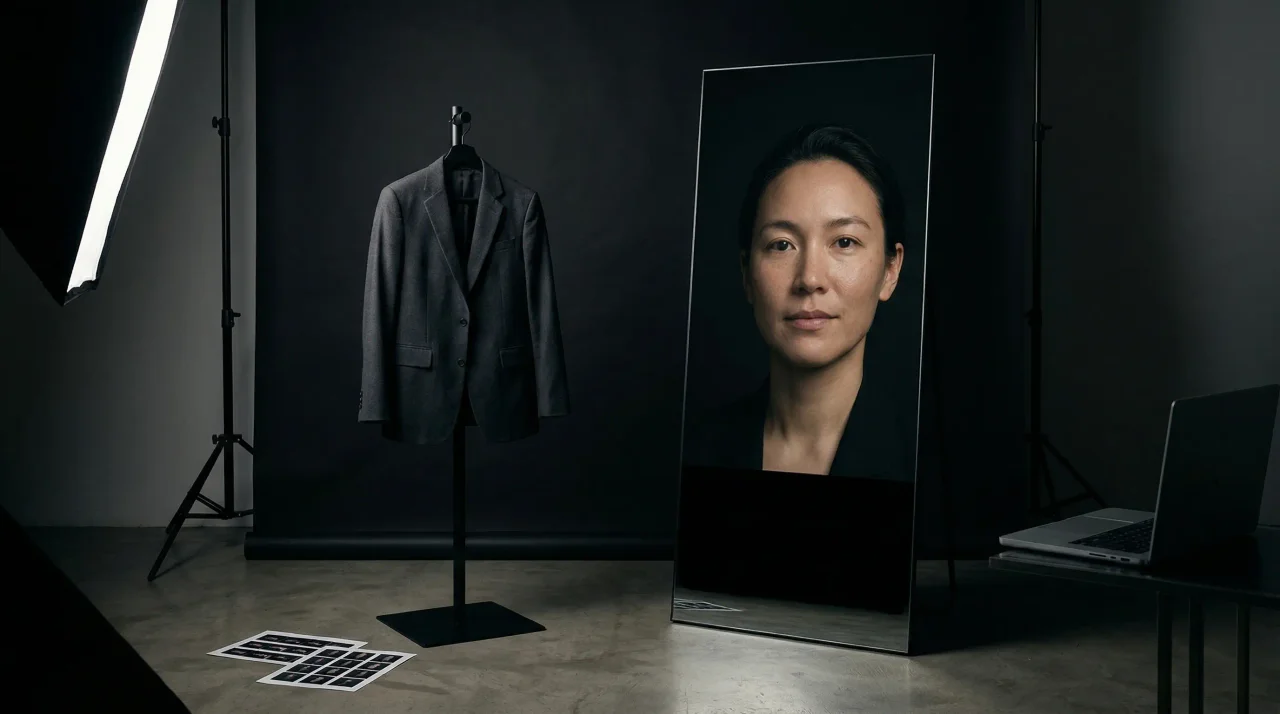
AI headshots are professional portraits created by artificial intelligence from a handful of your selfies. Upload 10-20 casual photos, and AI models generate 50-200 polished headshots in various styles—corporate, creative, casual—ready for LinkedIn, company websites, and team directories.
The technology has matured rapidly. Modern AI headshots are professional enough that photographers in blind tests mistake them for studio shots nearly half the time. The cost is 90-95% less than traditional photography. The turnaround is same-day instead of weeks.
But AI headshots aren't right for every situation. This guide covers exactly how they work, what they cost, when they excel, and when you should still hire a photographer.
Quick guide: How much do AI headshots cost? · How the process works · Quality comparison · When to use AI vs photographer · Best platforms
What AI headshots cost
The pricing difference between AI headshots and professional photography is dramatic.
AI headshot pricing (2026)
| Platform tier | Price | What you get | |--------------|-------|--------------| | Entry-level | $15–$25 | 20–50 headshots | | Mid-tier | $25–$50 | 50–100 headshots | | Premium | $50–$75 | 100–200+ headshots |
Most services include multiple styles, backgrounds, and outfit variations at no extra cost. There are no hidden fees for retouching.
Professional photographer pricing (2026)
| Expense | Typical range | |---------|---------------| | Session fee | $200–$1,000+ | | Retouching (per image) | $50–$200 | | Makeup artist | $75–$300 | | Hair styling | $50–$150 | | Studio rental | $100–$300 | | Total realistic cost | $475–$1,950+ |
In major metros, executive portraits routinely run $1,500–$3,000. The base session fee is just the starting point.
The team math
For a 50-person remote team:
- Traditional photography: $10,000–$25,000 for coordinated sessions
- AI headshots: $525–$1,500 total
The cost efficiency at scale makes AI headshots the default for team rollouts. Read more on this calculation in AI headshots vs photographer: the complete cost comparison.
How AI headshots actually work
The process is straightforward:
-
Upload photos. 10-20 selfies with varied angles, lighting, and expressions. Most platforms reject group shots, filters, and low-resolution images.
-
AI training. The system trains on your facial features for 30-60 minutes, learning your bone structure, skin tone, and expressions.
-
Generation. The AI creates headshots by placing your learned features into professional portrait templates—different backgrounds, outfits, lighting setups.
-
Review and download. Browse the gallery, select favorites, and download high-resolution files.
What the AI learns
- Facial structure and proportions
- Skin tone and texture patterns
- Natural expressions and angles
- Hair style and color
- Glasses and accessories (with varying success)
What you can control
Most platforms let you specify:
- Industry style (corporate, creative, medical, legal)
- Background preferences (studio, office, outdoor, gradient)
- Clothing style (business formal, business casual, creative)
- Lighting mood (bright, dramatic, natural)
The result is dozens of distinct looks from a single upload, each optimized for different professional contexts.
AI headshot quality: what to expect
The blind test data
In June 2024, AI imaging firm Kahma conducted a study with professional photographers. Photographers mistook AI portraits for real studio shots 43% of the time. The gap between AI and traditional photography has narrowed substantially.
Modern AI replicates depth-of-field blur, skin texture, and lighting within a 2% color-accuracy margin of professional photography.
What AI headshots do well
- Professional polish: Clean backgrounds, flattering lighting, consistent quality
- Variety: 50-200 different looks from one upload
- Speed: Results in hours, not weeks
- Cost efficiency: Professional results at 5-10% of traditional pricing
- Convenience: No scheduling, travel, or preparation
Where photographers still win
- Exact likeness: Guaranteed accurate representation without AI artifacts
- Expression control: Real-time coaching for the right look
- Art direction: Custom lighting, angles, and creative vision
- High-stakes contexts: Press kits, investor materials, editorial features
The question isn't whether AI headshots are good enough for LinkedIn and company bios. They are. The question is whether your context requires the additional authenticity and control of traditional photography.
For a deeper analysis of quality tradeoffs, see why AI headshots look fake and how to avoid it.
When to choose AI headshots vs photographer
Use this decision framework:
| Your situation | Best choice | Why | |---------------|-------------|-----| | LinkedIn refresh, job search | AI headshots | Fast, affordable, professional enough for recruiter-facing use | | Remote team of 20+ people | AI headshots | Scalable consistency without coordination overhead | | Company website, email signature | AI headshots | Professional polish at minimal cost | | Startup founder, multiple profiles | AI headshots | Varieties and crops for different contexts | | Creative professional portfolio | Either | AI for volume, photographer for art direction | | Executive press kit, investor deck | Photographer | Higher scrutiny demands guaranteed authenticity | | C-suite portraits, board materials | Photographer | Reputational risk justifies the investment | | Leadership + team rollout | Hybrid | Photographer for executives, AI for the broader team |
Specific use case guidance
For startup founders: AI headshots usually suffice for website, LinkedIn, and speaker bios. For investor materials and press kits, consider a photographer. We break this down in AI headshots for startup founders raising capital.
For remote teams: AI headshots solve the coordination nightmare of scattered locations. Read the full playbook in team headshots for distributed workforces.
For LinkedIn specifically: If your main concern is whether recruiters will accept an AI headshot, the data says yes—provided it looks professional and accurate. See what recruiters actually think about AI headshots.
For creative professionals: Designers, artists, and marketers often need headshots that reflect their aesthetic sensibility. AI can work, but the control is different. See AI headshots for creative professionals.
How to get good results from AI headshots
Bad results almost always come from ignoring platform requirements. Follow these steps:
Upload quality matters
- Quantity: 10-20 photos (follow the platform's specific requirement)
- Variety: Different angles, expressions, and lighting
- Quality: Clear, well-lit, high-resolution images
- Avoid: Group photos, filtered/synthetic-looking images, hats obscuring hair, sunglasses
Describe what you need
Be specific with style selections:
- "Corporate, navy blazer, neutral studio background" produces different results than "Creative, outdoor, natural light"
- Specify industry context if the platform allows it
Review critically
Check for these common issues:
- Does it look recognizably like you?
- Are eyes clear and natural-looking?
- Is lighting consistent and professional?
- Are there any strange artifacts around hair or accessories?
Most platforms allow free retraining or regeneration if the first batch misses.
Best AI headshot generators (2026)
Based on quality, realism, and feature set:
| Platform | Best for | Price | Standout feature | |----------|----------|-------|------------------| | Studioshot | Overall quality | $29–$44 | Unlimited free edits included | | HeadshotPro | Corporate/team use | $29–$59 | Built-in LinkedIn preview | | Aragon AI | Style variety | $35–$75 | Widest aesthetic selection | | InstaHeadshots | Speed | $49–$69 | 15-minute turnaround | | Secta AI | Volume | $49 | 300+ images per run |
What to look for
For individuals: Prioritize realism and style options. Studioshot and Aragon lead here.
For teams: Look for admin controls, brand consistency options, and bulk processing. HeadshotPro specializes in this.
For speed: If you need results in minutes rather than hours, InstaHeadshots optimizes for turnaround.
The bottom line
AI headshots have moved from novelty to legitimate professional tool. The quality gap has closed to the point where most audiences cannot reliably distinguish AI-generated portraits from traditional photography for standard business uses.
The economics are compelling: 90-95% lower cost, 95% faster turnaround, with quality that meets professional standards for LinkedIn, company websites, and team directories.
For high-stakes contexts—executive press kits, investor materials, editorial features—professional photography retains advantages in guaranteed authenticity and art direction.
The best approach for most professionals in 2026: AI headshots as the default, with traditional photography reserved for situations where the reputational cost of a slightly-off image is too high.
Ready to create your professional headshot? Image Studio generates high-quality AI headshots from your selfies in minutes—multiple styles, professional polish, no photographer required.
Related Articles
LinkedIn Headshot AI Guide for 2026
A practical guide to LinkedIn headshot AI: likeness, lighting, trust signals, usage rights, and whether the final image earns the meeting.
AI Headshots vs Photographer: The Real Cost Comparison for 2026
Compare AI headshots vs photographers on cost, quality, and time in 2026. See the real pricing math and when each option makes sense.
Why Most AI Headshots Look Fake (And How to Avoid It)
73% of recruiters can't tell AI headshots from real photos—yet many still look uncanny. Learn the 3 reasons AI portraits fail and how to get realistic results.
Ready to create images that convert?
Generate headshots, thumbnails, and covers that stay on brand—no photo shoots or design rounds.
Launch Image Studio